

Microwave problems usually feel disruptive because they often happen suddenly: no heat, strange noises, sparking, or a door that won’t latch properly. Fortunately, many common microwave problems come from minor issues you can check at home. In this guide, BlueStars Parts will walk you through 7 microwave problems homeowners should check first and how to troubleshoot them safely.
Quick answer: What are the most common microwave problems?
Here is a quick breakdown of the most common microwave problems, what to check first, and when to call a technician.
|
Problems |
How to fix |
DIY or Technician |
Risk level |
|
Microwave won’t turn on |
Check power supply and door switch |
DIY |
Low to Medium |
|
Microwave runs but does not heat |
Inspect high-voltage components |
Technician |
High |
|
Microwave sparks or pops |
Remove metal and clean interior |
DIY / Technician |
Medium to High |
|
Turntable not spinning |
Clean or replace roller parts |
DIY |
Low |
|
Buttons not working |
Clean or replace control panel |
DIY |
Low to Medium |
|
Door won’t close properly |
Adjust or replace latch |
DIY |
Medium |
|
Broken or loose handle |
Tighten or replace handle |
DIY |
Low |
1. Common Microwave Problems and How to Fix Them
Microwave problems usually develop gradually due to regular wear and tear, heat exposure, or food residue buildup. The issues range from simple mechanical faults to more complex electrical failures. Below, we’ll go from the easiest fixes to the more serious issues so you can quickly identify what’s going on.
1.1 Microwave won’t turn on
A microwave that won’t turn on is often caused by a power supply issue, a blown fuse, a faulty door switch, or a tripped internal safety component. When any of these parts fail, the microwave cannot receive or distribute electricity properly, which results in a completely unresponsive appliance.
How to fix
-
Step 1: Check the outlet by making sure the microwave is properly plugged in and the outlet is supplying power
-
Step 2: Inspect the circuit breaker to see if it has tripped and reset it if necessary
-
Step 3: Make sure the door latch closes fully, since the microwave will not operate if the safety switch is not activated
-
Step 4: Inspect the fuse for damage and replace it if it is blown and safe to access
Expected result: Once fixed, the microwave should power on normally and respond to controls. If it still does not turn on, internal electrical components may require professional repair.

Inspecting the power outlet connection for a microwave that won't turn on (Source: BlueStars Parts)
1.2 Microwave runs but does not heat
This problem is typically caused by a faulty magnetron, diode, or high-voltage capacitor. These components are responsible for generating and converting electrical energy into heat inside the microwave. When they fail, the microwave may still run normally but cannot warm food properly.
Critical warning: Even when completely unplugged, a microwave can retain a lethal electrical charge internally. Due to the extreme risk of severe shock, checking or replacing high-voltage components should strictly be left to a professional technician.
How to fix
-
Step 1: Stop using the microwave if there is any burning smell
-
Step 2: Check that the door closes tightly and seals properly
-
Step 3: Ensure no obvious electrical issues from power fluctuations
-
Step 4: Contact a technician for internal high-voltage inspection
Expected result: After repair, the microwave should heat food evenly again. Ignoring this issue may lead to further internal damage.
1.3 Microwave sparks or makes popping sounds
Sparking or popping sounds usually occur when metal objects are placed inside the microwave, causing microwave energy to reflect and create electrical arcing. Food residue and grease buildup on the interior walls can also burn over time and become conductive. A damaged or burnt waveguide cover may expose internal components and lead to uneven energy distribution.
When dealing with this issue, it is vital to distinguish between small sparks and continuous arcing:
-
Small sparks: Brief, isolated flashes usually caused by food splatters, carbon residue, or misplaced foil, which can be easily resolved with a thorough cleaning.
-
Continuous arcing: A persistent, aggressive electrical stream that crackles loudly, pointing to a charred waveguide cover or exposed metal that presents an immediate fire hazard.
How to fix
-
Step 1: Remove all metal objects or foil from inside the microwave
-
Step 2: Clean the interior walls thoroughly to remove grease buildup
-
Step 3: Inspect the waveguide cover for burns or cracks
-
Step 4: Replace the cover if it is damaged
Expected result: After removing metal items and cleaning or replacing damaged parts, the sparking should stop completely. The microwave will operate more safely with stable heating performance.
>> Read more: Microwave Making Loud Noise? Quick Diagnosis and Repair Tips
1.4 Microwave turntable is not spinning
A microwave turntable may stop spinning when food debris blocks the roller ring, the glass tray is misaligned, or parts like the drive coupler or motor wear out. Without proper rotation, food may heat unevenly - overheating in one spot while staying cold elsewhere.
How to fix
-
Step 1: Remove the glass tray and roller ring from the microwave
-
Step 2: Clean food debris and grease from the tray support area
-
Step 3: Reinstall the tray carefully to ensure proper alignment
-
Step 4: Replace worn roller rings or couplers if necessary
Expected result: Once cleaned or replaced, the turntable should rotate smoothly without interruption. Food will heat more evenly across all areas.

Cleaning microwave turntable components to restore smooth rotation (Source: BlueStars Parts)
1.5 Microwave buttons or display are not working
This issue often occurs when moisture or grease enters the control panel and interferes with electrical signals. The membrane keypad can also wear out after long-term use, making buttons less responsive. Physical wear or internal damage can also lead to partial or complete unresponsiveness.
Common symptoms:
-
Some buttons work, others don’t: Certain high-use keys (like "Start" or "Clear") completely refuse to respond, while less-frequent numbers still register normally.
-
Display flickers: The digital clock or timer screen blinks erratically, shows incomplete numbers, or goes completely blank at random times.
-
Keypad responds slowly: You have to press down firmly multiple times or hold a button for a few seconds before the microwave registers the command.
How to fix
-
Step 1: Unplug the microwave before cleaning the control panel
-
Step 2: Wipe the keypad gently using a dry microfiber cloth
-
Step 3: Remove grease buildup around buttons carefully
-
Step 4: Replace the control panel if buttons remain unresponsive
Expected result: After cleaning or replacing faulty components, the buttons should respond normally again. The display will become clear and fully functional.
1.6 Microwave door will not close or latch properly
A microwave door may fail to close properly when the latch becomes misaligned or blocked by dirt and grease. The latch hooks can also wear down over time, reducing their ability to engage the safety switches. Internal spring tension may weaken, making the door feel loose or unstable. In some cases, the latch bracket itself becomes damaged or bent, preventing proper alignment.
How to fix
-
Step 1: Inspect the latch area for dirt or grease buildup
-
Step 2: Clean the latch hooks and surrounding door frame
-
Step 3: Check for damaged or bent latch components
-
Step 4: Replace worn parts such as the latch bracket if necessary
Expected result: After adjustment or replacement, the door should close firmly with a secure click. The microwave will only operate when the door is properly sealed.
If your microwave door sags, feels loose, or bounces open, the internal safety switches won't engage, preventing the machine from starting. You can replace it with the 8205451 WP8205451 Microwave Door Latch & Switch Bracket. This bracket helps the microwave door close correctly so the safety switches can activate as intended.
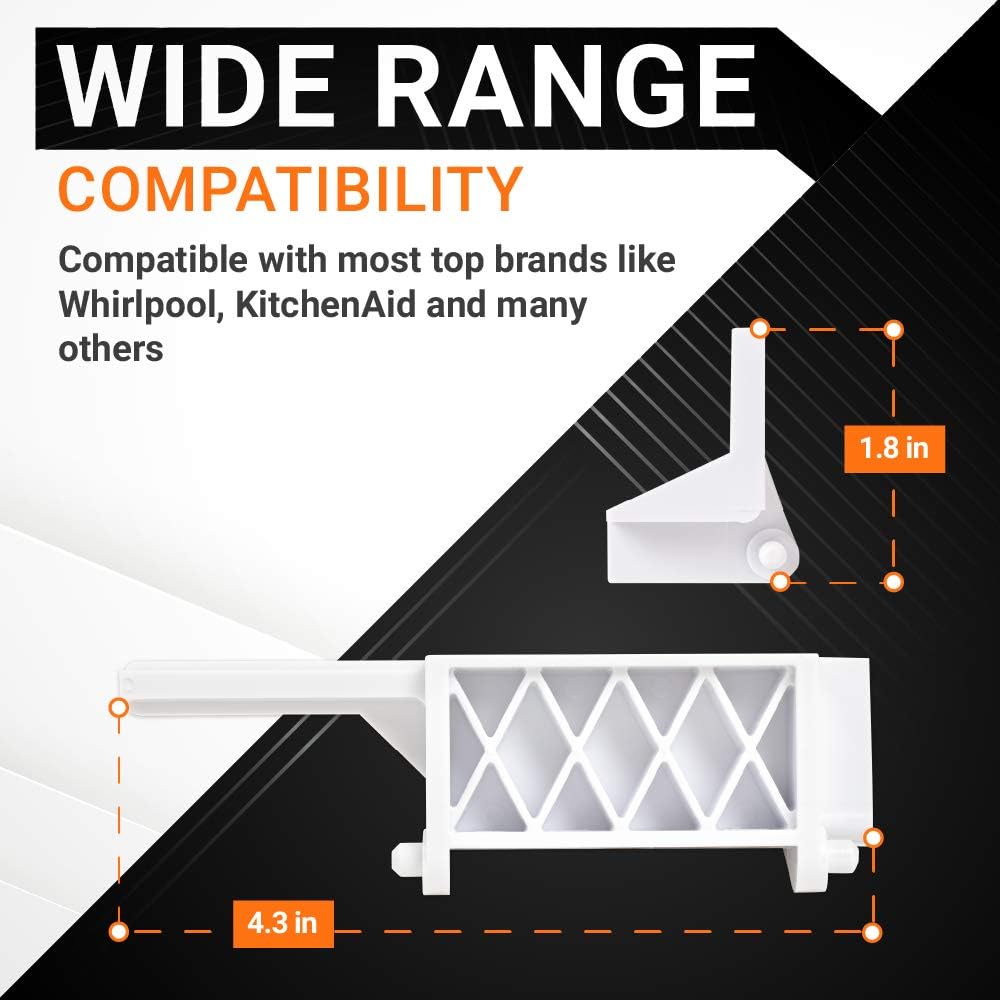
8205451 WP8205451 Microwave Door Latch & Switch Bracket (Source: BlueStars Parts)
1.7 Microwave handle is broken or loose
A loose or broken microwave handle usually happens due to repeated pulling force over time that loosens internal screws or mounting points. The handle support brackets inside the door can also crack or weaken, reducing overall stability. Plastic components may become brittle after long-term heat exposure and daily use.
How to fix
-
Step 1: Remove the inner door trim carefully to access mounting screws
-
Step 2: Tighten loose screws or replace damaged handle supports
-
Step 3: Install a compatible replacement handle if the original is cracked
-
Step 4: Test the handle stability after reassembly
Expected result: After tightening or replacing damaged parts, the handle should feel firm and stable again. The microwave door will open and close smoothly without wobbling.
In this situation, BlueStars Parts offers suitable replacement parts that can help restore proper door stability and everyday usability, including:
-
ME16K3000AS DE94-02409C Microwave Door Handle: It is designed for restoring a secure and comfortable grip when the original microwave handle becomes cracked, loose, or broken. This product is useful when the original microwave handle becomes cracked, detached, or difficult to grip securely.
-
WB06X10943 Microwave Handle Support: is a replacement support component that helps stabilize the microwave handle and reinforce the mounting area inside the door. This support component is recommended when the handle feels loose even after tightening the screws.
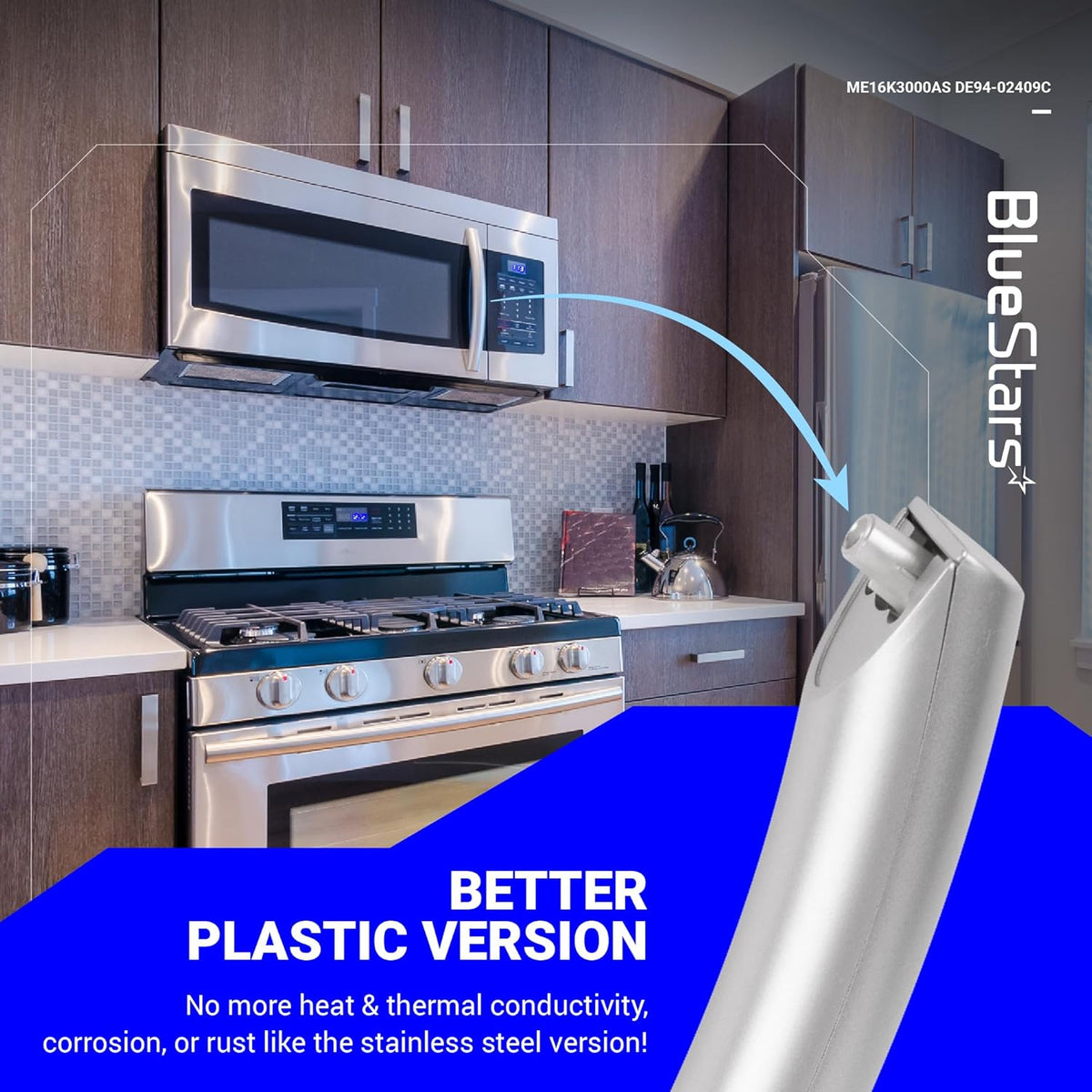
ME16K3000AS DE94-02409C Microwave Door Handle (Source: BlueStars Parts)
>> Read more: How to Replace a Handle on a Microwave: Simple DIY Guide
2. When to DIY Microwave Repair and When to Call a Technician
2.1 Microwave problems you can usually fix yourself
Many microwave issues are mechanical or surface-level problems that do not involve electrical risk. The table below highlights common microwave problems you can usually fix yourself and the basic checks required.
|
Problem type |
Possible cause |
Suggested fix |
Part to check |
|
Microwave turntable is not spinning |
Dirty roller ring or misalignment |
Clean and reseat tray |
Roller ring / coupler |
|
Microwave handle is broken or loose |
Worn screws or bracket |
Tighten or replace handle |
Door handle |
|
Microwave door will not close properly |
Latch misalignment |
Adjust or clean latch |
Door latch bracket |
|
Microwave light is not working |
Bulb failure |
Replace bulb |
Light bulb |
|
Microwave buttons are sticky or hard to press |
Dirt or moisture |
Clean panel |
Control panel |
These issues are generally safe to handle at home with basic tools. Clean and maintain your microwave regularly to prevent most of these problems from recurring and keep your appliance running smoothly.
2.2 Microwave problems that need a technician or replacement
Some microwave issues involve high-voltage systems or internal electrical failures that are not safe for DIY repair. Even after basic troubleshooting, these problems usually require professional inspection. The table below summarizes the most serious microwave problems, their likely causes, risk levels, and recommended actions.
|
Problem type |
Possible cause |
Risk level |
Best action |
|
Microwave runs but does not heat |
Magnetron failure |
High |
Call technician |
|
Microwave sparks inside |
Waveguide or metal damage |
High |
Stop use immediately |
|
Microwave has burning smell or smoke |
Electrical failure |
Critical |
Unplug and inspect |
|
Microwave makes loud buzzing or humming |
High-voltage component issue |
High |
Technician repair |
|
Microwave turns on by itself or won’t turn off |
Control board malfunction |
High |
Replace or repair board |
Simple issues like tray misalignment or handle problems can be fixed at home, but anything involving electrical burning, sparking,... should be handled by a technician. When safety is involved, professional repair is always the better choice.
3. FAQ
3.1 Why is my microwave running but not heating?
This issue is usually caused by a failed magnetron, diode, or high-voltage capacitor. These components are responsible for generating heat inside the microwave. When they fail, the appliance still runs but cannot heat food.
3.2 Is it safe to use a microwave that sparks?
No, it is not safe. Sparking usually indicates metal inside, damaged waveguide cover, or internal arcing. Continued use can damage internal components or create fire hazards, so the microwave should be stopped and inspected immediately.
3.3 Why does my microwave turntable stop spinning?
A stopped turntable is often caused by a dirty roller ring, misaligned tray, or faulty motor. When the rotation system is blocked or worn out, heat distribution becomes uneven. Cleaning and repositioning often solve the issue.
3.4 When should I replace my microwave instead of repairing it?
You should consider replacement if the microwave is over 8 - 10 years old, has repeated failures, or suffers from expensive high-voltage issues. If repair costs approach half the price of a new unit, replacement is usually the better option.
3.5 Why is my microwave sparking after cleaning?
Sparking after cleaning is often caused by leftover moisture, food residue, or damaged interior paint exposing metal surfaces. You should make sure the microwave is completely dry and clean before using it again.
3.6 Why does my microwave hum loudly and then stop?
A loud humming noise followed by shutdown may indicate a failing magnetron, capacitor, or cooling fan. If the microwave repeatedly stops during operation, it should be inspected by a technician.
Microwave problems can range from simple maintenance issues to serious electrical failures, but identifying the symptoms early can help prevent larger repairs later. Basic troubleshooting such as cleaning the turntable, checking the latch, or replacing worn door parts can often restore normal performance quickly. And when you need reliable replacement parts to get the job done right, explore BlueStars Parts today.
Contact information:
8 The Green, Ste A, Dover, Delaware 19901-3618, United States
Website: https://bluestarsparts.com/
Explore Related Articles


