

When you have an AC fan not working, first determine whether the problem is with the indoor blower fan or the outdoor condenser fan. A stopped fan can result from something simple, such as an incorrect thermostat setting or tripped breaker, or from a failed capacitor, fan motor, or electrical component.
In this guide, BlueStars Parts explains how to identify which AC fan is not working, what different symptoms usually mean, which checks you can perform safely, and when professional HVAC service is the better option.
Quick Answer: Why Is My AC Fan Not Working?
If your AC fan is not working, the most common causes are incorrect thermostat settings, a tripped breaker, restricted airflow, a failed capacitor, or a faulty fan motor. Start with simple checks like the thermostat, breaker, air filter, and visible obstructions before moving to electrical components.
| Symptom | Likely Cause | First Check |
|---|---|---|
| Fan does not turn on | Thermostat or power issue | Thermostat, breaker, disconnect |
| Fan hums but does not spin | Capacitor or fan motor | Capacitor, motor |
| Weak airflow indoors | Dirty filter or blower issue | Air filter |
| Fan runs but AC is not cooling | Airflow, coil, or cooling-system issue | Filter, coils, outdoor unit |
| Fan starts and stops | Capacitor or overheating motor | Capacitor, motor |
| Breaker keeps tripping | Electrical fault | Turn system off |
1. Determine Which AC Fan Is Not Working
hen your air conditioner fan is not working, first determine whether the problem is with the indoor blower fan or the outdoor condenser fan. These two fans perform different functions, so identifying which one has stopped will help narrow down the cause and avoid replacing the wrong part.
Indoor Blower Fan Not Working
The indoor blower fan moves cooled air through the ductwork and into your rooms. If the AC fan stopped working inside the home, you may notice:
- Little or no airflow from the vents
- Weak airflow even though the AC is running
- Ice forming on the evaporator coil
- The outdoor unit running while no cool air reaches the rooms
- Unusual humming, rattling, or grinding from the indoor unit
Start by checking the thermostat fan setting and air filter. A clogged filter can restrict airflow, while a blower motor or control issue may prevent the fan from running normally.
Outdoor AC Fan Not Turning On
If the AC fan is not turning on in the outdoor condenser unit, you may notice:
- The outdoor fan blades remain still
- The unit hums or buzzes without the fan spinning
- The condenser becomes unusually hot
- The indoor blower runs, but the AC does not cool properly
Common causes include a tripped breaker, blocked fan blade, weak run capacitor, failed fan motor, or electrical control problem.
If the compressor appears to be running while the outdoor fan is stopped, turn the AC off. Operating the system without proper condenser airflow can cause excessive heat buildup and put additional stress on the compressor.

2. Common Causes of an AC Fan Not Working and How to Fix Them
If your AC fan stopped working, the cause can range from a simple thermostat setting to a failed capacitor or fan motor. Start with the easiest checks first, then move to component-level troubleshooting only if needed.
2.1. Incorrect Thermostat Settings
If the thermostat is not set correctly, the AC may not send a signal for the fan or cooling system to start.
Common signs:
- AC fan is not turning on
- Thermostat screen is blank
- System does not respond when the temperature is lowered
- Fan runs only when switched manually to “On”
How to fix:
- Step 1: Set the thermostat to Cool.
- Step 2: Set the target temperature below the current room temperature.
- Step 3: Set the fan to Auto, or temporarily switch it to On to test the indoor blower.
- Step 4: Replace the thermostat batteries if the display is blank or weak.
- Step 5: Check whether a programmed schedule is preventing the system from running.
If the fan works in On mode but not during cooling, the issue may involve the thermostat signal, control board, or cooling system rather than the fan motor itself.

Check that the thermostat is set to Cool and the target temperature is below the current room temperature (Source: BlueStars Parts)
2.2. Tripped Circuit Breaker or Power Supply Issue
A tripped breaker or disconnected power supply can stop the indoor blower, outdoor fan, or the entire AC system.
Common signs:
- AC fan does not turn on at all
- Outdoor unit is completely silent
- Thermostat appears normal, but nothing starts
- Breaker is in the middle or Off position
How to fix:
- Step 1: Find the breaker labeled AC, HVAC, Air Handler, or Furnace.
- Step 2: Flip the breaker fully to Off, then back to On.
- Step 3: Check the outdoor disconnect box and make sure it is properly engaged.
- Step 4: Confirm that the indoor furnace or air-handler switch has not been turned off.
If the breaker trips again, do not keep resetting it. Repeated tripping can indicate an electrical short, failing motor, compressor issue, or another electrical fault.

Reset the AC circuit breaker once if it has tripped. If it trips again, turn the system off and have the electrical issue inspected. (Source: BlueStars Parts)
2.3. Dirty or Clogged Air Filter
A dirty air filter restricts airflow through the HVAC system. This mainly affects the indoor blower side and can lead to weak airflow, overheating, or a frozen evaporator coil.
Common signs:
- Weak airflow from vents
- AC runs for long periods
- Poor cooling
- Ice on the evaporator coil
- Indoor fan seems to struggle
How to fix:
- Step 1: Turn the AC off.
- Step 2: Remove the air filter.
- Step 3: Check for heavy dust, dirt, or blockage.
- Step 4: Replace a disposable filter if it is visibly clogged.
- Step 5: Restart the system and check whether airflow improves.
If airflow is still weak after replacing the filter, inspect the blower and evaporator coil next.
2.4. Debris or Damaged Fan Blades
Leaves, twigs, dirt, or other debris can block the outdoor condenser fan. A bent or damaged blade can also prevent the fan from spinning normally.
Common signs:
- Fan blade does not move
- Rattling or clanking noise
- Fan vibrates during operation
- Blade appears bent or loose
How to fix:
- Step 1: Turn off power to the AC.
- Step 2: Inspect the outdoor unit for visible debris.
- Step 3: Remove loose leaves, grass, or twigs around the grille.
- Step 4: Check whether the fan blade appears bent, cracked, or loose.
Do not insert your hand, screwdriver, or other tools through the grille while the unit is powered.
2.5. Burned-out fan motor
A weak or failed capacitor is a common reason an outdoor AC fan is not turning on, especially when the unit hums but the fan does not spin.
Common signs:
- Outdoor unit hums but fan stays still
- Fan starts slowly
- Fan starts and stops intermittently
- Fan motor becomes hot
- Capacitor looks swollen or leaking
How to fix:
- Step 1: Turn off power to the AC system.
- Step 2: Check the capacitor for visible swelling, leaking, or damage.
- Step 3: Confirm the capacitance rating (µF) of the original capacitor.
- Step 4: Confirm the voltage rating and terminal configuration.
- Step 5: Test the capacitor with appropriate equipment if you are qualified to do so.
- Step 6: Replace it only with a capacitor that matches the required specifications.
If testing confirms that the capacitor has failed, replace it only with one that matches the original capacitance and voltage specifications. For systems that require a 45+5 µF dual run capacitor rated for 370/440 VAC, the 45+5 uF 45/5 MFD ±5% 370/440VAC CBB65 Dual Run Round Capacitor is designed for HVAC condenser and fan applications. Always verify the µF rating, voltage, terminal configuration, and unit compatibility before installation.
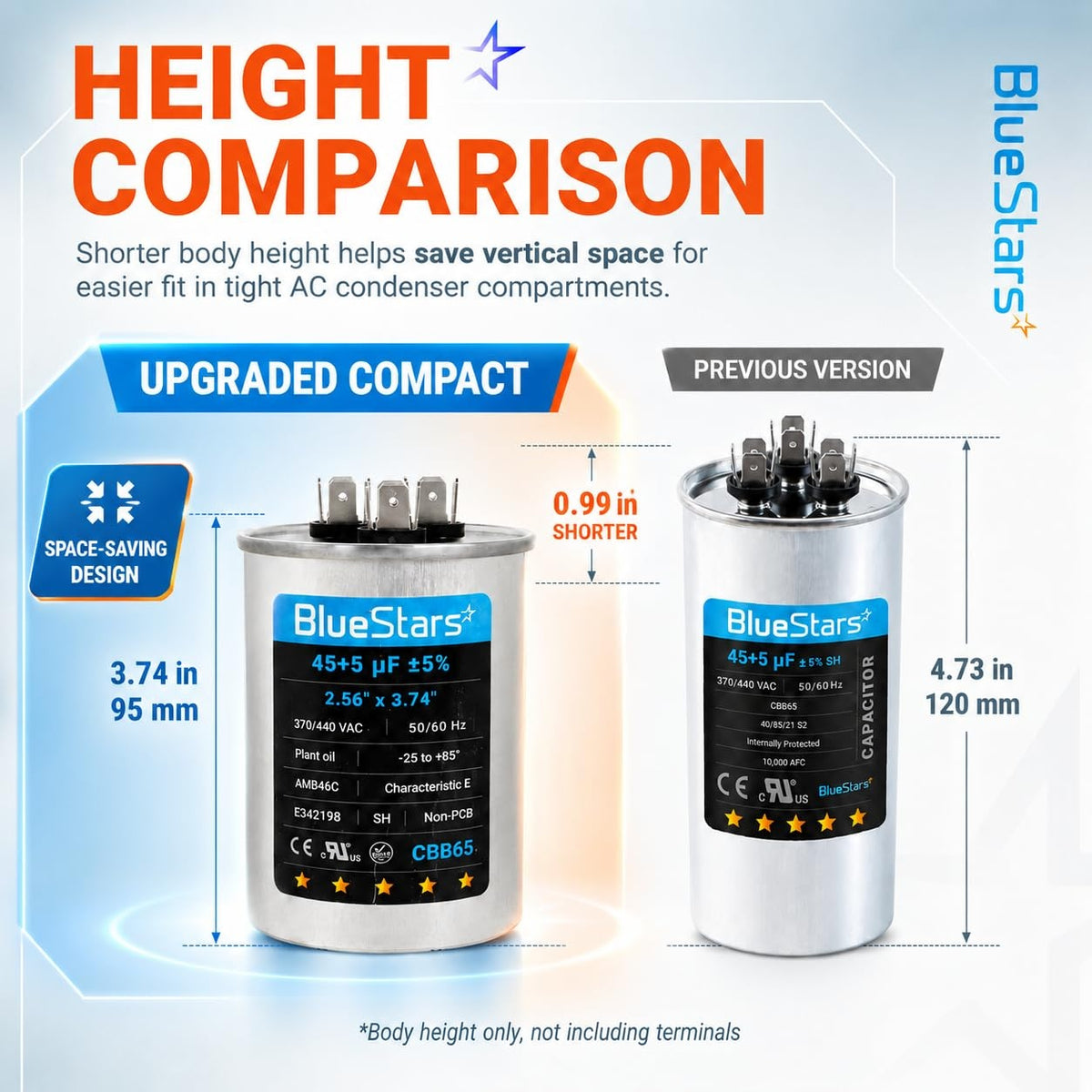
45+5 uF 45/5 MFD ±5% 370/440VAC CBB65 Dual Run Round Capacitor
If your AC requires a different rating, browse the Air Conditioner Capacitor collection to find the correct specification.
Safety note: AC capacitors can retain a dangerous electrical charge even after power is disconnected. If you are not experienced with HVAC electrical testing, contact a qualified technician.
2.6. Burned-Out or Seized Fan Motor
If the capacitor and power supply are working correctly but the fan still does not run, the fan motor itself may be failing.
Common signs:
- Fan does not spin
- Fan runs slowly
- Grinding or screeching noise
- Motor becomes unusually hot
- Burning smell
- Fan starts but stops after a short time
How to fix:
- Step 1: Turn off power to the AC system.
- Step 2: Inspect the fan blades for visible blockage or damage.
- Step 3: Check whether the motor or surrounding area shows signs of overheating.
- Step 4: Listen for grinding, screeching, or other abnormal motor noises.
- Step 5: Have the motor electrically tested if no obvious obstruction is found.
- Step 6: Replace the fan motor if it is seized, electrically failed, or has worn bearings.


Check the AC contactor and wiring for visible burning, melting, or loose electrical connections.(Source: BlueStars Parts)
3. Is It Safe to Run the AC if the Fan Is Not Working?
In most cases, you should turn the cooling system off if an AC fan is not working.
If the outdoor condenser fan stops while the compressor continues running, the unit cannot release heat efficiently. This can cause excessive heat buildup and place additional stress on the compressor.
If the indoor blower stops, the evaporator coil may become too cold and freeze because there is not enough airflow moving across it.
Turn the system off especially if you notice:
- Outdoor fan not spinning while the compressor runs
- Burning smell
- Grinding or screeching noise
- Breaker repeatedly tripping
- Motor overheating
- Visible electrical damage
Do not continue running the AC just to see whether the problem resolves on its own.
4. How to Prevent AC Fan Problems
Regular maintenance can reduce the risk of sudden fan failure and help the system operate more efficiently.
4.1. Keep the Air Filter Clean
Check the air filter regularly and replace it when it becomes clogged. Good airflow reduces stress on the indoor blower and helps prevent coil freezing.
4.2. Keep the Outdoor Unit Clear
Remove leaves, grass, dirt, and other debris from around the condenser so the fan can move air freely.
4.3. Pay Attention to Unusual Noises
Humming, grinding, rattling, or screeching can indicate an early fan motor, capacitor, or blade problem.
If your AC starts making unusual sounds, see AC Making Noise? 6 Common Causes and How to Fix Quickly.
4.4. Check the System Before Peak Cooling Season
A seasonal inspection can identify worn capacitors, loose electrical connections, airflow restrictions, and aging fan motors before they cause complete failure.
4.5. Use the Correct Replacement Parts
Never replace a capacitor, motor, or electrical component based only on appearance. Match the original specifications and confirm compatibility with your AC system.
You can browse Air Conditioner Parts after identifying the failed component.
5. When Should You Call an HVAC Professional?
Some AC fan problems can be checked safely by homeowners, such as thermostat settings, clogged filters, or visible debris. Electrical and component-level failures usually require professional diagnosis.
Contact an HVAC technician if:
- The breaker trips again after being reset
- The outdoor unit hums but the fan does not start
- The fan motor becomes excessively hot
- You smell burning or see melted wiring
- The capacitor needs electrical testing
- The fan motor needs replacement
- The evaporator coil repeatedly freezes
- The contactor, relay, or control board may be faulty
- The fan runs but the AC still does not cool after basic checks
If several symptoms are happening at the same time, you can also refer to 12 Common AC Problems and How to Troubleshoot Them for broader troubleshooting.
6. Frequently asked questions
6.1. Why is my AC fan humming but not spinning?
A humming outdoor unit with a stationary fan commonly indicates a weak run capacitor, failing fan motor, seized bearing, or blocked fan blade. Turn the system off before inspecting the fan.
6.2. Why is my AC fan running but not cooling?
If the AC fan is running but not cooling, the problem may involve a dirty filter, frozen evaporator coil, dirty condenser coil, compressor, refrigerant system, or another part of the cooling cycle.
6.3. Why does my air conditioner smell when the fan is not working?
A burning smell is a serious warning sign that the fan motor is overheating or that electrical components are melting; you should turn off the unit immediately and seek professional help.
5.4. Is it safe to run an AC when the fan motor is bad?
No, it is not safe. Running an AC with a malfunctioning fan motor puts extreme stress on the compressor, which can lead to a complete system failure that is much costlier to fix.
5.5. Should I spin the AC fan manually to test it?
Do not insert your hand, screwdriver, or a stick through the grille while the system is energized. Turn off power before inspecting the fan, and use proper electrical testing to diagnose the capacitor or motor.
An air conditioner fan not working does not always mean the fan motor has failed. Start by identifying whether the issue is with the indoor blower or outdoor condenser fan, then check the thermostat, circuit breaker, air filter, and visible obstructions before moving to the capacitor, motor, or electrical controls.
If the fan still does not work, the breaker repeatedly trips, or electrical testing is required, stop running the system and contact a qualified HVAC technician. If a replacement part is confirmed, BlueStars Parts offers AC components for common repair applications; always match the original specifications and verify compatibility before installation
Contact information:
8 The Green, Ste A, Dover, Delaware 19901-3618, United States
Website: https://bluestarsparts.com/
Explore Related Articles:
Why Does Your Air Conditioner Smell Bad? Causes and Fixes
My Air Conditioner is Leaking Water: 6 Causes and Fixes
Can I Replace My AC Capacitor Myself?
AC Stopped Working Suddenly? Try These Quick Fixes
References
Carrier. (n.d.). AC fan not spinning? 8 causes & how to fix them. Carrier.
https://www.carrier.com/us/en/residential/hvac-resources/air-conditioners/ac-fan-not-spinning/Carrier. (n.d.). AC unit not turning on? Troubleshooting steps & solutions. Carrier.
https://www.carrier.com/us/en/residential/hvac-resources/air-conditioners/ac-unit-not-turning-on/Trane. (n.d.). AC fan not working? Reasons why it stopped spinning. Trane.
https://www.trane.com/residential/en/resources/troubleshooting/air-conditioners/ac-fan-not-working/U.S. Environmental Protection Agency & U.S. Department of Energy. (n.d.). Maintenance checklist. ENERGY STAR.
https://www.energystar.gov/saveathome/heating-cooling/maintenance-checklist


